| Author | Published |
|---|---|
| Jon Marien | January 13, 2026 |
Definition
Authentication is the security process of verifying that a user, device, or system is genuinely who or what they claim to be before granting access to resources.
It serves as the digital “ID check” and acts as the first line of defense in cybersecurity. It operates by validating provided credentials (like a password, token, or fingerprint) against a database of authorized users.
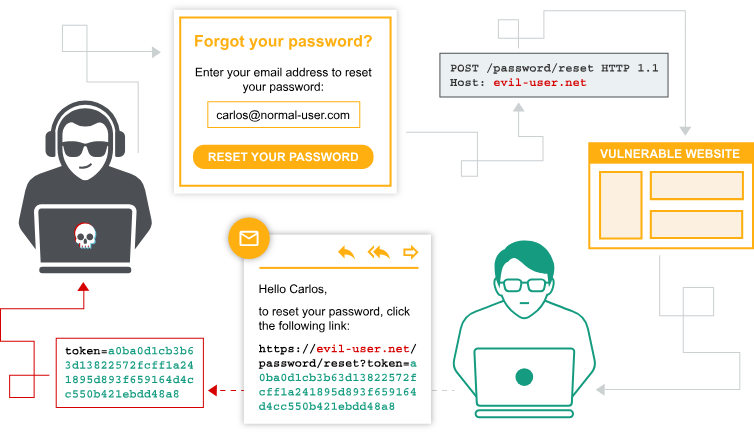
Authentication Vulnerabilities
- Criticality vs. Complexity: While authentication vulnerabilities are conceptually simple to understand, they are rated as critical severity because they act as the primary gateway to security.
- Impact: Successful exploitation grants attackers unauthorized access to sensitive data and restricted functionality. It also significantly expands the attack surface, facilitating further exploitation chains.
- Study Objectives:
- Identification & Exploitation: Learning to spot weaknesses in common authentication mechanisms and executing exploits.
- Bypassing Protections: Understanding how to circumvent common security controls.
- Inherent vs. Implementation: Distinguishing between vulnerabilities that are part of a mechanism’s design versus those introduced by poor coding or configuration.
- Hardening: Techniques to implement robust authentication systems that resist these attacks.
Authentication vs Authorization
The main difference lies in their core purpose: Authentication verifies who you are, while Authorization verifies what you are allowed to do.
Key Differences Table
| Feature | Authentication (AuthN) | Authorization (AuthZ) |
|---|---|---|
| Core Question | ”Who are you?" | "What are you allowed to do?” |
| Action | Verifies identity credentials (password, ID, biometrics) | Validates permissions and access rights |
| Timing | Always happens first | Always happens second (after authentication) |
| Visibility | Visible to the user (e.g., login screen) | Often invisible background process |
| Data Used | Passwords, Tokens, MFA, Biometrics | Roles, Policies, Access Control Lists (ACLs) |
In the Context of BSCP
- Authentication Failures: Occur when the system lets a bad actor log in as someone else (e.g., Brute Force, Credential Stuffing).
- Authorization Failures: Occur when a logged-in user can do things they shouldn’t (e.g., IDOR, Privilege Escalation). This is like
Carlos123being able to delete theadminaccount just by changing a user ID in the URL.
Brute-Force Attacks
- Definition: A brute-force attack is an automated method where attackers use trial-and-error to guess valid user credentials.
- Methodology:
- Automation: Attackers use dedicated tools (like Hydra or Burp Suite) and wordlists to make high-speed login attempts, often testing millions of combinations.
- Logic-Based: It isn’t just random guessing. Attackers “fine-tune” attacks using logic (e.g., guessing
adminas a username) or publicly available info (OSINT) to make educated guesses, drastically increasing efficiency.
- Vulnerability: Websites relying solely on simple password authentication without safeguards (like rate limiting or account lockouts) are highly vulnerable.
Types of Brute-Force
- Simple Brute Force: Trying every possible combination of characters (e.g.,
aaaa,aaab,aaac). - Dictionary Attack: Using a list of common words or passwords (e.g.,
password,football,admin123). - Credential Stuffing: Using username/password pairs stolen from other breaches, hoping users reused them.
Brute-Forcing Usernames
-
Predictable Patterns: Attackers exploit standard username formats to guess valid accounts.
- Email Formats: Common corporate standards like
[email protected]are primary targets. - High-Value Defaults: Privileged accounts often use predictable names like
admin,administrator,root, orsupport. - Vendor Defaults: Many systems (especially IoT or enterprise software) ship with default accounts like
postgres,oracle, orservice.
- Email Formats: Common corporate standards like
-
Information Leakage (Reconnaissance):
- Public Profiles: User profiles accessible without logging in can reveal valid usernames (e.g., forum handles, author bylines).
- HTTP Response Analysis: Checking server responses for leaked email addresses, particularly in error messages or API metadata, can reveal administrative or IT support contacts.
- Error Messages: Subtle differences in login error messages (e.g., “Invalid password” vs. “User not found”) allow attackers to enumerate valid usernames before even guessing passwords.
-
Reverse Brute Force: Instead of guessing the password for a known user, attackers take a common password (like
123456) and “spray” it across thousands of guessed usernames to find a match.
Brute-Forcing Passwords
- Entropy vs. Human Behavior: While password policies (enforcing length, special characters, mixed case) increase theoretical difficulty for random guessing, human behavior makes them vulnerable.
- Predictable Patterns: Users often “crowbar” weak passwords to fit strict policies. If
mypasswordis rejected, they predictably chooseMypassword1!orSummer2025!. - Rotation Flaws: When forced to change passwords regularly, users typically make minor increments (e.g., changing
Spring2025!toSummer2025!orMypassword1!toMypassword2!).
- Predictable Patterns: Users often “crowbar” weak passwords to fit strict policies. If
- Attack Sophistication: Effective brute-forcing isn’t just random character generation; it leverages these human patterns.
- Rule-Based Attacks: Attackers use tools (like Hashcat or John the Ripper) with “rules” that automatically append numbers, capitalize the first letter, or swap letters for symbols (e.g.,
a→@) on top of dictionary words. - Contextual Guessing: Attackers use wordlists relevant to the target, such as company names, sports teams, or local seasons, combined with common policy-compliant suffixes.
- Rule-Based Attacks: Attackers use tools (like Hashcat or John the Ripper) with “rules” that automatically append numbers, capitalize the first letter, or swap letters for symbols (e.g.,
Here is the summary of Username Enumeration for your study notes.
Username Enumeration
- Definition: Username enumeration is a technique where attackers observe system behavior changes to identify valid usernames.
- Mechanisms:
- Verbose Error Messages: Attackers exploit login forms that return distinct errors, such as “User not found” (invalid user) versus “Incorrect password” (valid user). This confirms which accounts exist.
- Registration Forms: Attackers try to register with common usernames. If the site says “Username already taken,” they know that user exists.
- Timing Analysis: Sometimes the server takes longer to respond for a valid username (because it proceeds to check the password hash) than for an invalid one (which fails immediately). Attackers can measure this time difference to enumerate users.
- Impact: This vulnerability drastically reduces the difficulty of a brute-force attack. Instead of guessing both username and password blindly, the attacker generates a “shortlist” of valid targets and only needs to guess the passwords.
Lab
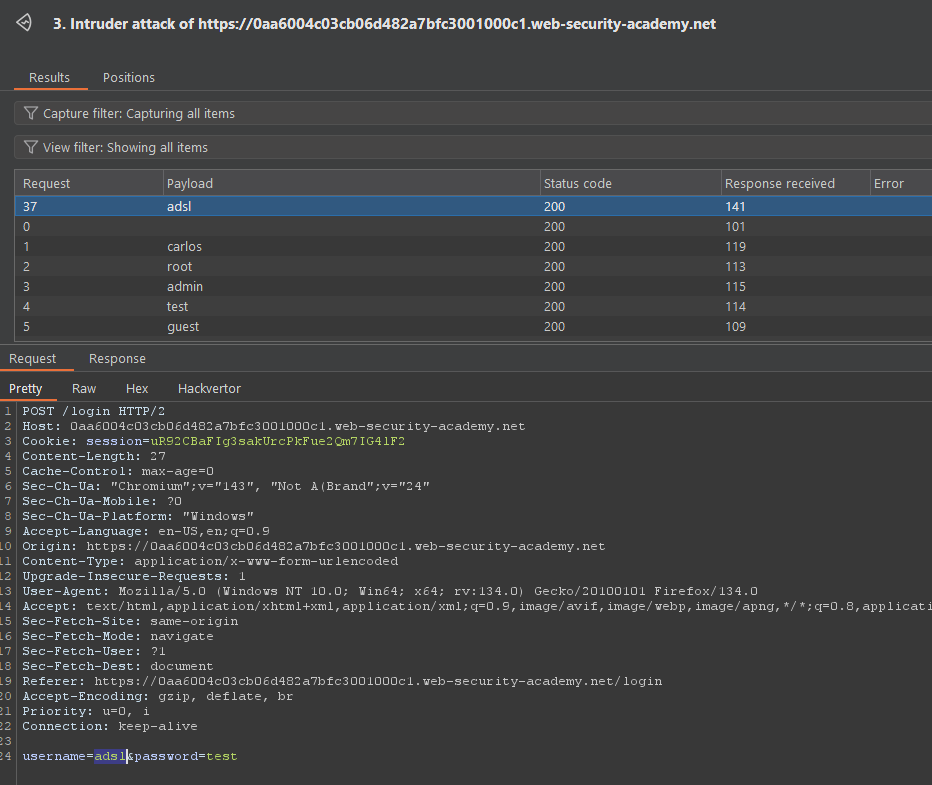
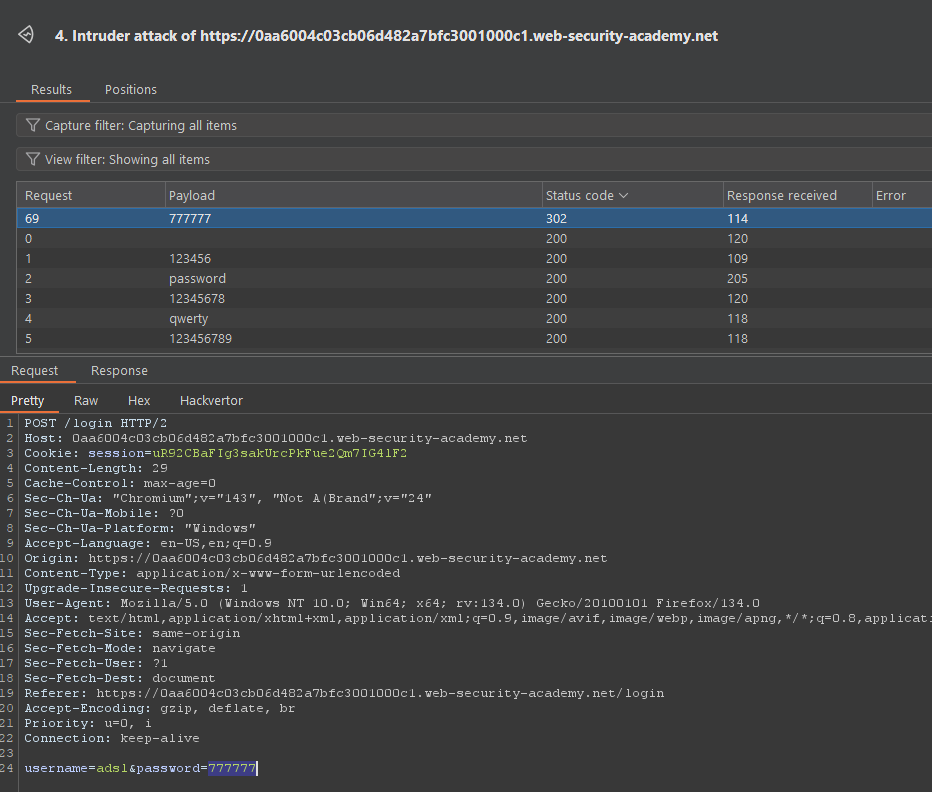 User:Pass combo is
 adsl:777777
Bypassing 2FA
Bypassing two-factor authentication (2FA) like this is an example of broken 2FA logic, where the second step is not actually enforced for protected pages.
Core Idea
- In a flawed flow, after you:
- Enter a correct username and password, and
- Are then shown a separate 2FA page,
the application may already treat you as “logged in” after step 1, even if you never successfully complete step 2.
- If session cookies or auth tokens are set after the password step, you can sometimes directly request URLs meant only for fully authenticated users, skipping the code entry.
How This Bypass Works
- Step 1 – Normal login: Submit valid credentials and reach the 2FA prompt page. At this point, your browser often already has a session cookie.
- Step 2 – Direct navigation: Instead of entering the 2FA code, manually browse to a “logged-in only” endpoint (e.g.,
/my-account,/admin,/dashboard). - Vulnerability: If the server checks only “is there a session?” and not “has 2FA been completed for this session?”, you get full or partial access without ever proving the second factor.
Why This Is Dangerous
- It completely defeats the main purpose of 2FA: protecting accounts even when passwords are compromised.
- For a pentester, this is a high-impact finding under broken authentication / broken access control, because it turns a supposedly strong auth flow back into password-only security.