| Author | Published |
|---|---|
| Jon Marien | January 13, 2026 |
Definition
Server-side request forgery (SSRF) is a vulnerability where an attacker tricks a vulnerable server-side application into making HTTP or other network requests to targets the attacker chooses, instead of the intended destination.
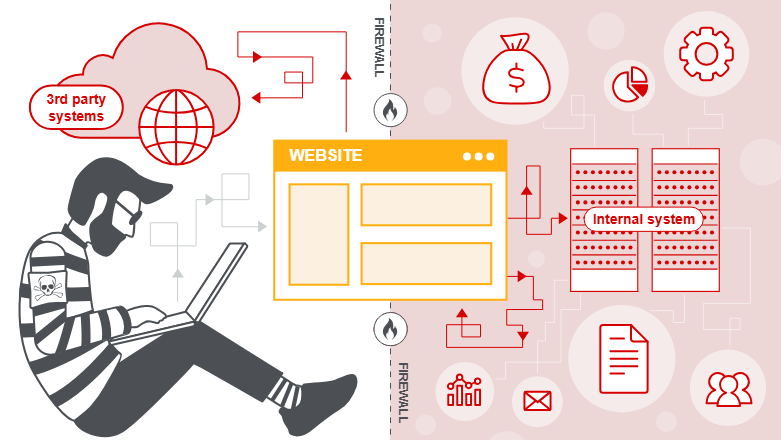
What SSRF Allows
- The attacker controls (fully or partially) a URL or network location that the server uses in an outbound request, so the server sends the request on the attacker’s behalf.
- Because the request originates from the server, it can often reach:
- Internal-only services (e.g.,
http://127.0.0.1, internal admin panels, databases, cloud metadata endpoints). - Arbitrary external systems, sometimes including sensitive third‑party APIs.
- Internal-only services (e.g.,
Why SSRF Is Dangerous
- Internal services often trust traffic from the server’s own network, so SSRF can bypass firewalls and network segmentation, exposing services that are not directly accessible from the internet.
- Responses may leak sensitive data, such as:
- Cloud instance metadata and access tokens
- Internal configuration, credentials, or admin interfaces
This can lead to privilege escalation, lateral movement, or even remote code execution in severe cases.
SSRF - Server Attacks
In this pattern, the attacker abuses SSRF to make the vulnerable app talk to itself over the loopback interface, often bypassing access controls that trust “local” traffic.
Core Idea
- The attacker supplies a URL like
http://127.0.0.1/adminorhttp://localhost/adminin a parameter the server uses for outbound HTTP requests (for example,stockApi=in a stock-check feature). - The server then:
- Sends a request from itself to its own internal URL (loopback).
- Receives the response (the protected admin page).
- Returns that response content to the attacker in the normal application response.
Why It Bypasses Access Control
- Many apps or admin panels are configured to trust requests from localhost more than external ones, exposing
/adminor similar only to 127.0.0.1 or the internal network. - When the SSRF makes a request from the same host:
- The admin interface “sees” the request as local and grants full access.
- The application then relays that privileged content back to the attacker, effectively turning the app into a proxy to its own protected functionality.
SSRF against the server = using loopback (127.0.0.1/localhost) to have the app call its own internal/admin endpoints and leak or perform actions that are normally restricted to local, trusted users.
Why Applications Trust Local Requests
Applications often implicitly trust local traffic because of legacy or architectural assumptions:
-
Access control in a front component:
A reverse proxy, WAF, or load balancer in front of the app might normally do IP‑based or auth checks. Requests that originate from the app server itself sometimes bypass this front layer entirely, so the underlying app never performs its own robust authorization checks. -
“Break glass” / disaster recovery logic:
For recovery scenarios, developers may allow automatic admin access from the local machine without login, assuming only a trusted admin will ever log in directly on the host. If SSRF lets an attacker generate local requests, this safety valve becomes a critical backdoor. -
Separate admin port or interface:
Admin consoles sometimes listen on a different port (for example,localhost:8081vs.0.0.0.0:443) and are not exposed to the internet. They rely solely on network reachability (local-only) as the “protection,” rather than proper authentication and authorization. SSRF breaks that assumption by giving an external attacker indirect access to that internal port.
These trust relationships, where “local = trusted,” are exactly what make SSRF against the server so dangerous: the application treats attacker‑controlled requests as if they came from a fully trusted operator.
Protect Against It
- Validate and strictly restrict user-controlled URLs:
- Prefer an
allowlistof known backend services instead of accepting arbitrary URLs. - Block loopback and internal address ranges (for example:
127.0.0.1,::1,10.0.0.0/8,192.168.0.0/16at the application and network levels.
- Prefer an
- Do not rely on “localhost is trusted”:
- Require proper authentication and authorization for admin interfaces, even from local addresses.
- Place admin panels behind VPNs or management networks, not just IP checks.
- Add layered defenses:
- Disable or tightly control redirects and DNS rebinding paths that could resolve to internal addresses.
- Monitor and alert on unusual outbound requests (such as to
127.0.0.1, metadata endpoints, or odd ports), and enforce least privilege on what internal services the app can reach.
SSRF - Back-End Systems Attacks
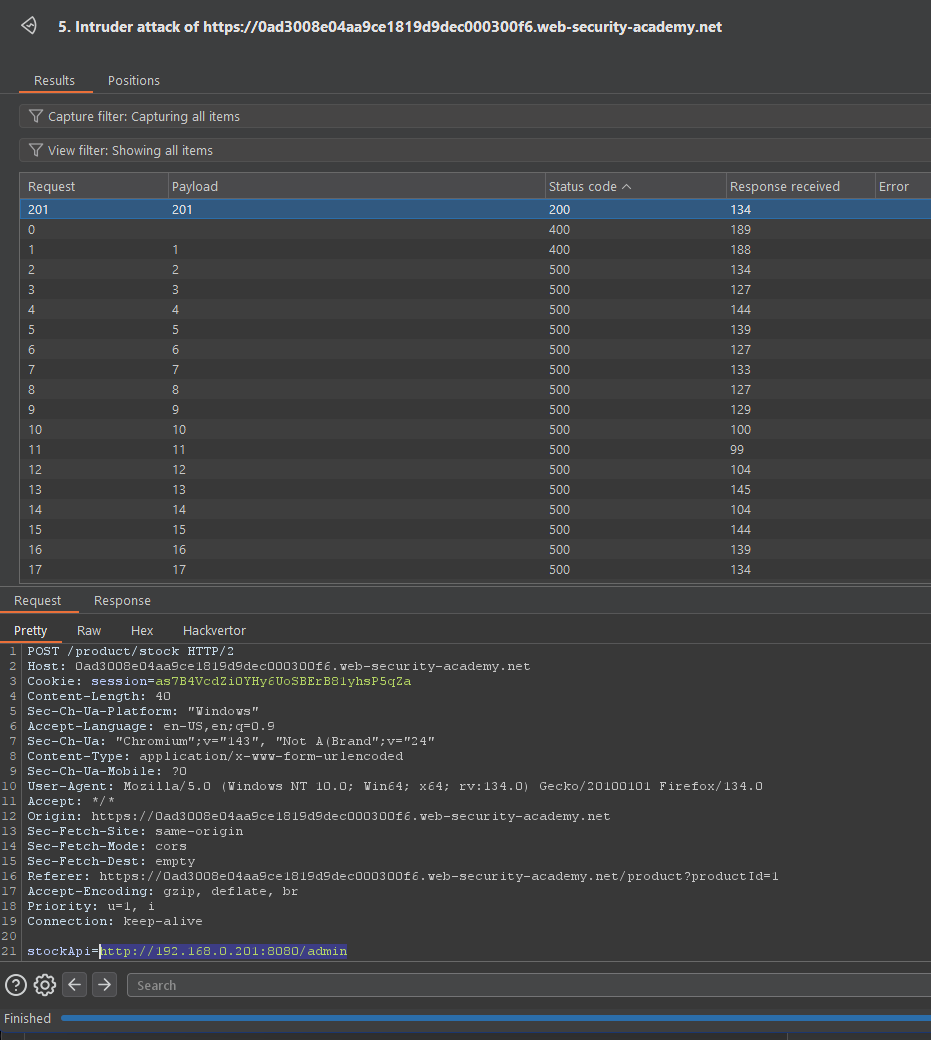
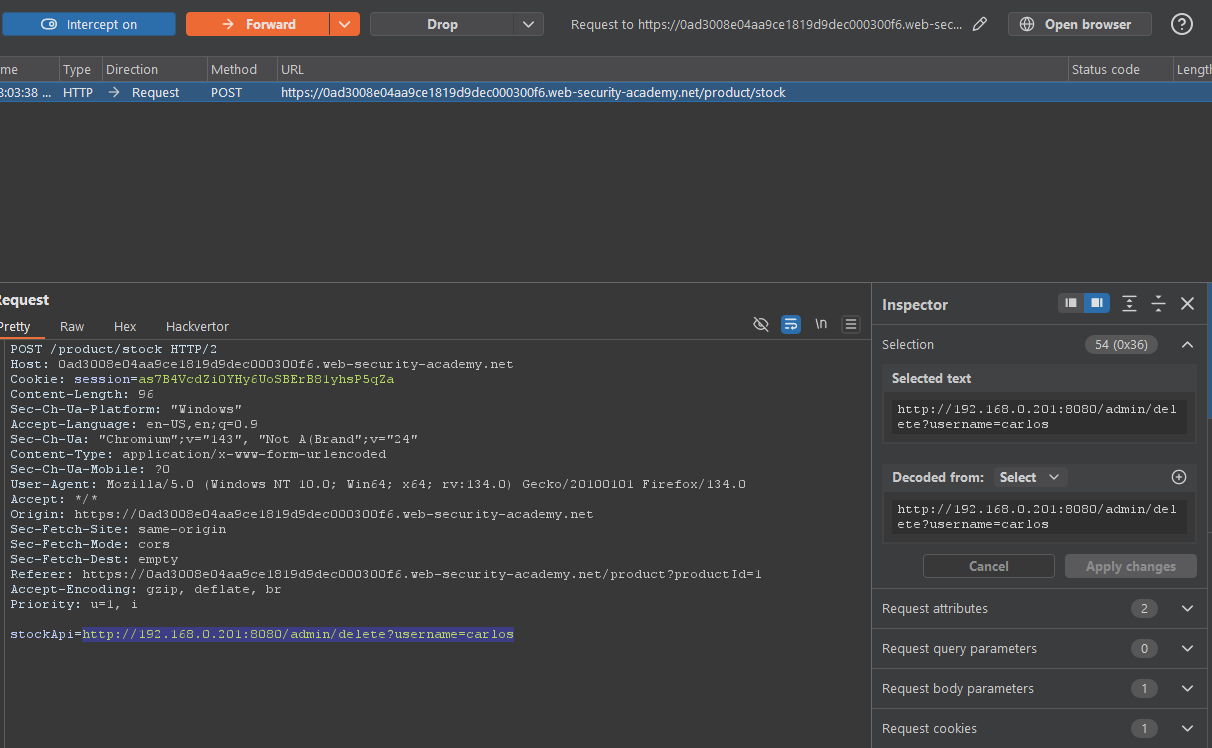
In this pattern, the attacker uses SSRF to reach internal back-end services (on private IPs) that users cannot directly access.
Core Idea
- The application server can talk to internal systems on private ranges like
192.168.x.xor10.x.x.x. - The attacker controls a URL parameter (for example,
stockApi=) and swaps it from a normal backend endpoint to something likehttp://192.168.0.68/admin. - The server then sends a request to that internal admin interface and returns the response to the attacker.
Why It Works
- Internal back-end systems often:
- Sit on non-routable private IPs and are “protected” only by network topology.
- Expose sensitive functionality with weak or no authentication, assuming only trusted internal callers will ever reach them.
- SSRF breaks this assumption by letting an external attacker make the server call those internal systems on their behalf.
SSRF against other back-end systems = using the app as a pivot to reach private-network services (for example, 192.168.0.68/admin) that were never meant to be exposed to the internet.
Protect Against It
- Restrict where the server can make outbound requests (use
allowlists; block private address ranges where not needed). - Require proper authentication and authorization on internal admin/back-end services, not just “internal IP = trusted.”
- Monitor and log outbound calls from the app to unusual internal destinations.
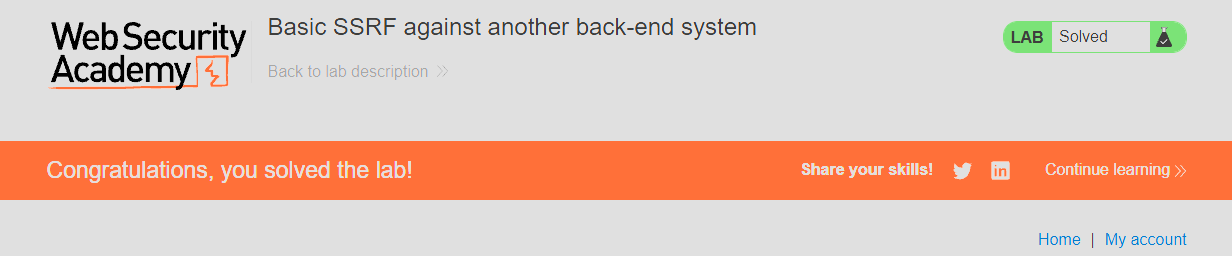
Lab
:)