| Title | Author | Created | Published | Tags | Source |
|---|---|---|---|---|---|
| Phishing Attack Using Zero-Width Characters |
| January 28, 2025 | January 28, 2025 | [[#issessions|#issessions]] | https://cybersecuritynews.com/phishing-attack-using-zero-width-characters/ |
Presentation - Phishing Attack Using Zero-Width Characters
What is it?
- Shy Z-WASP: Phishing technique using zero-width characters and soft hyphens.
How Does it Work?
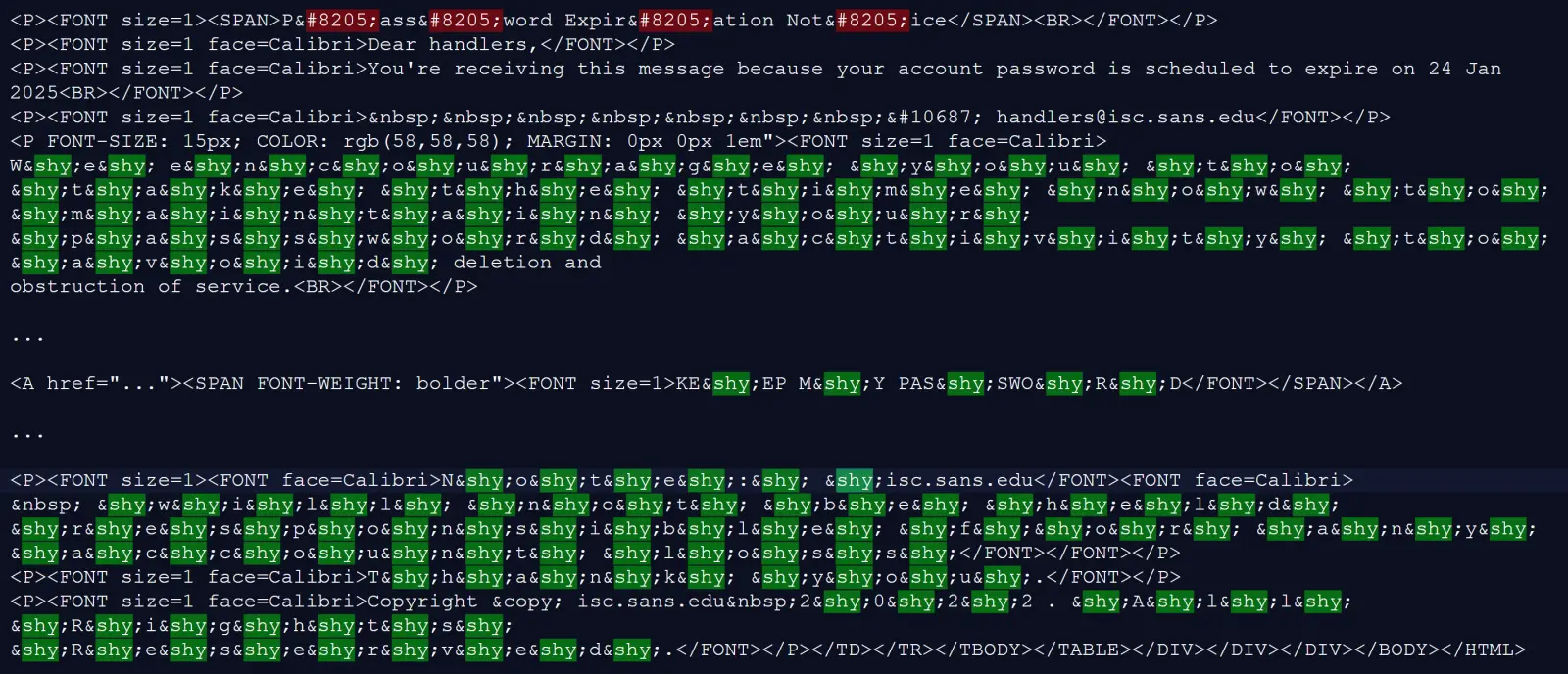
- Obfuscation: Zero-width characters disrupt pattern recognition.
- Keyword Disguise: Soft hyphens break up suspicious phrases.
- Bypassing Security: Circumvents URL reputation checks and Safe Links.
Example Attack
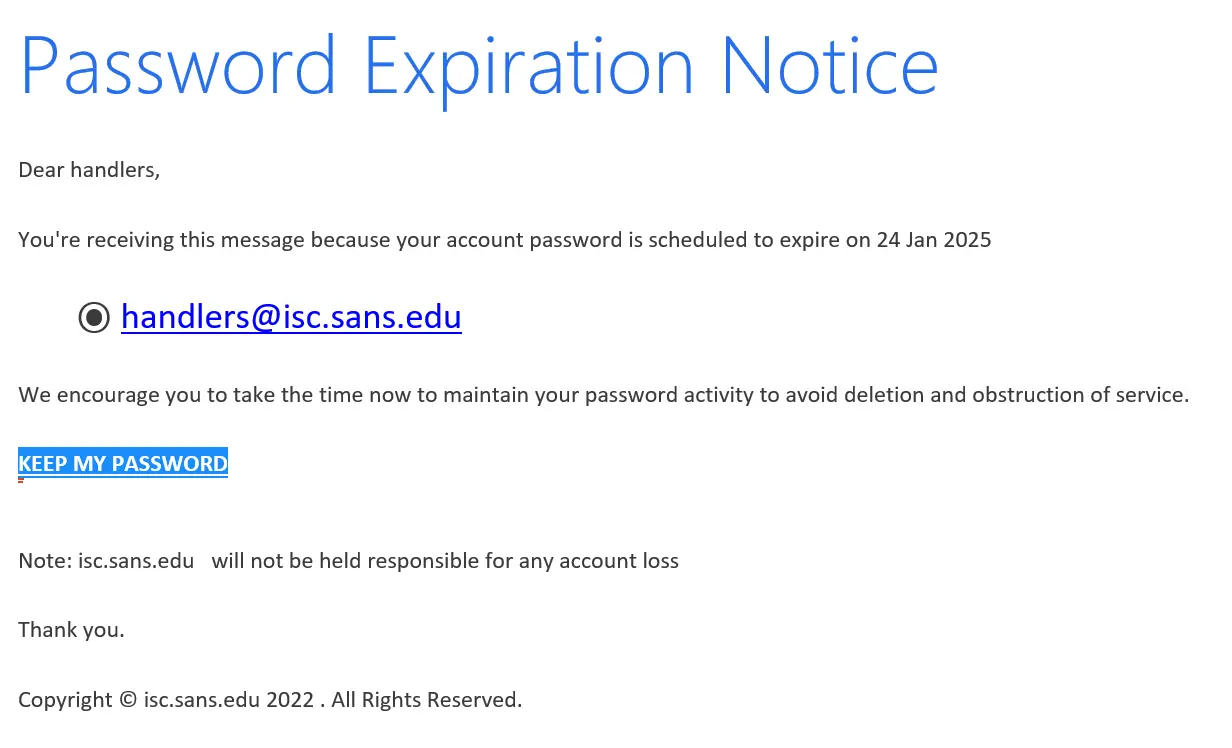
- Phishing email mimicking password expiration notice.
Mitigation Strategies
- Advanced Email Filtering: Machine learning-based filters.
- User Awareness Training: Educate on identifying phishing attempts.
- Browser Extensions: Detect and highlight zero-width characters.
- Regular Updates: Keep security systems updated.
- Multi-Factor Authentication (MFA): Enforce MFA policies.
Script
Hello, and welcome. For all of you who do not know me, my name is Jon. Today, I’ll be discussing a new phishing technique called Shy Z-WASP. What is it? It’s a method that uses zero-width characters and soft hyphens to bypass email security filters.
How it Works:
- Obfuscation: Zero-width characters like Zero-Width Joiners, Spaces, and Non-Joiners are inserted into URLs and text to disrupt pattern recognition by email security systems.
- Keyword Disguise: Soft hyphens break up suspicious phrases, preventing detection by keyword-based scanning tools.
- Bypassing Security: These methods circumvent URL reputation checks and Safe Links protections in platforms like Microsoft Office 365.
Example Attack: Imagine receiving a phishing email that looks like a password expiration notice. The title might contain zero-width joiners, and the body text could have soft hyphens to disguise keywords.
Mitigation Strategies:
- Advanced Email Filtering: Implement machine learning-based filters to detect obfuscated text.
- User Awareness Training: Educate employees on identifying phishing attempts by examining email formatting.
- Browser Extensions: Use tools to detect and highlight zero-width characters in web content.
- Regular Updates: Keep email security systems updated with the latest threat intelligence.
- Multi-Factor Authentication (MFA): Enforce MFA policies to mitigate risks even if credentials are compromised.
This attack highlights vulnerabilities in traditional email filtering systems, requiring organizations to adopt advanced security measures to counteract these evolving threats. In conclusion, the Shy Z-WASP attack underscores the need for continuous vigilance and advanced security measures to protect against evolving phishing threats. Stay informed, stay secure.