“Get hands-on, learn about and exploit some of the most popular web application vulnerabilities seen in the industry today.”
Introduction to Web Hacking
Walking an Application
We will learn how to manually review a web app for security issues with only the built-in tools in our browser.
Some of the tools we will use are as follows:
- View Source - Use your browser to view the human-readable source code of a website.
- Inspector - Learn how to inspect page elements and make changes to view usually blocked content.
- Debugger - Inspect and control the flow of a page’s JavaScript
- Network - See all the network requests a page makes.
Acme IT Support - Exploring the Subdomains
| Feature | URL | Summary |
|---|---|---|
| Home Page | / | This page contains a summary of what Acme IT Support does with a company photo of their staff. |
| Latest News | /news | This page contains a list of recently published news articles by the company, and each news article has a link with an id number, i.e. /news/article?id=1 |
| News Article | /news/article?id=1 | Displays the individual news article. Some articles seem to be blocked and reserved for premium customers only. |
| Contact Page | /contact | This page contains a form for customers to contact the company. It contains name, email and message input fields and a send button. |
| Customers | /customers | This link redirects to /customers/login. |
| Customer Login | /customers/login | This page contains a login form with username and password fields. |
| Customer Signup | /customers/signup | This page contains a user-signup form that consists of a username, email, password and password confirmation input fields. |
| Customer Reset Password | /customers/reset | Password reset form with an email address input field. |
| Customer Dashboard | /customers | This page contains a list of the user’s tickets submitted to the IT support company and a “Create Ticket” button. |
| Create Ticket | /customers/ticket/new | This page contains a form with a textbox for entering the IT issue and a file upload option to create an IT support ticket. |
| Customer Account | /customers/account | This page allows the user to edit their username, email and password. |
| Customer Logout | /customers/logout | This link logs the user out of the customer area. |
Acme IT Support - Viewing Source
While on a website, you can right-click on the page, and you should see an menu option called “View Page Source”. Most browsers will prefx the url with view-source:. For example:
view-source:https://www.google.com
Acme IT Support - Inspector
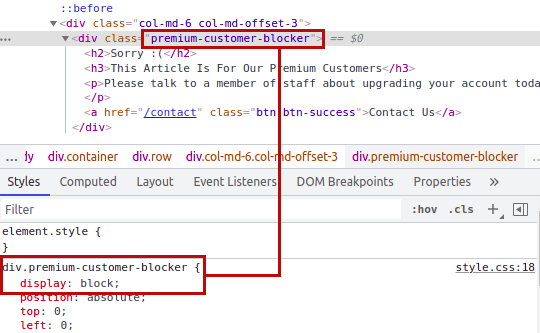
While on a website, you can right-click on the page, and you should see an menu option called “Inspect Element”. CTRL + SHIFT + J also usually opens the dev-tools.
In this picture, for example, we can edit the css of a paywall from block to none and view what is behind it.
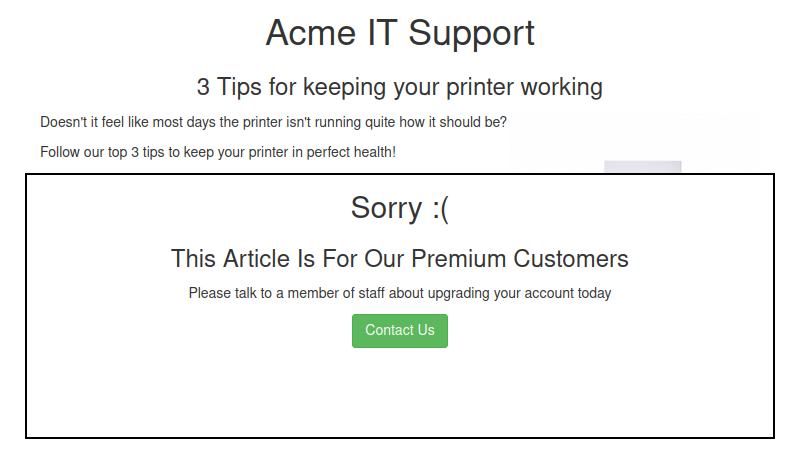
 Note: Most websites have advanced ways to disallow a user from doing this.
Acme IT Support - Debugger
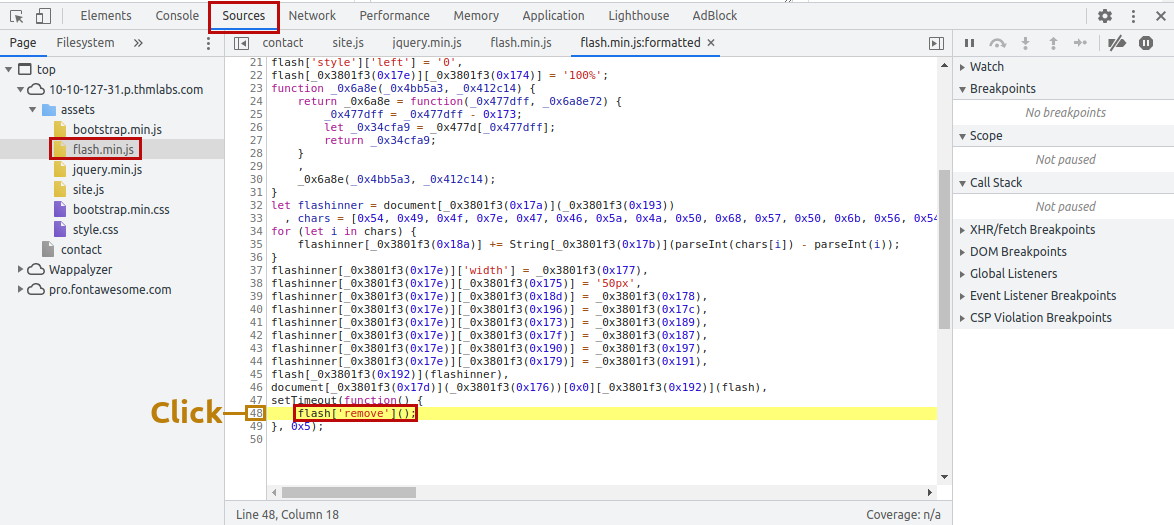
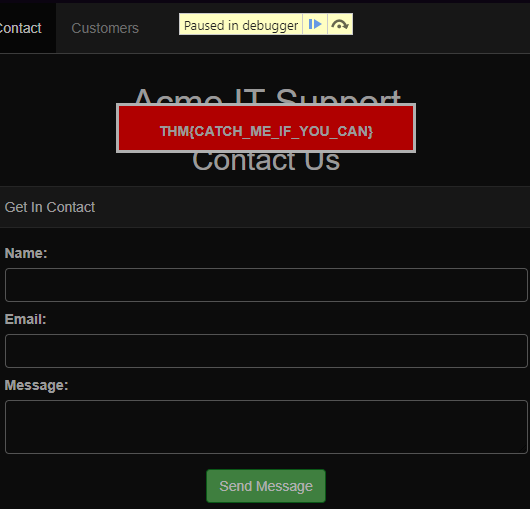
In the debugger, you can peruse to the Sources tab to try and find any vulnerable lines of code within the website. For example, in in the flash.min.js file in assets while browsing the customer subdomain, you can attach a breakpoint to a line and refresh the page, revealing a hidden flag:

Acme IT Support - Network
The network tab of the developer tools can be used to track every external request a certain webpage makes. If you refresh the page while on this tab, you will start to see entries populate.
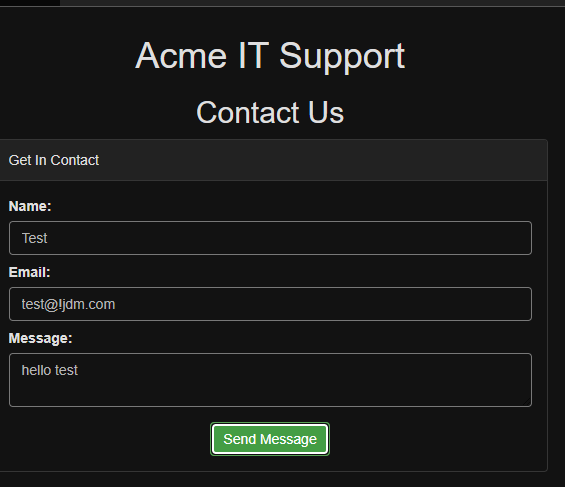
In this example, if you attempt to fill in the contact form and click the Send Message button, an event will pop up in the network tab. In this case the form is being submitted via a method called AJAX.
“AJAX is a method for sending and receiving network data in a web application background without interfering by changing the current web page.”
As you can see, the network tab is empty:
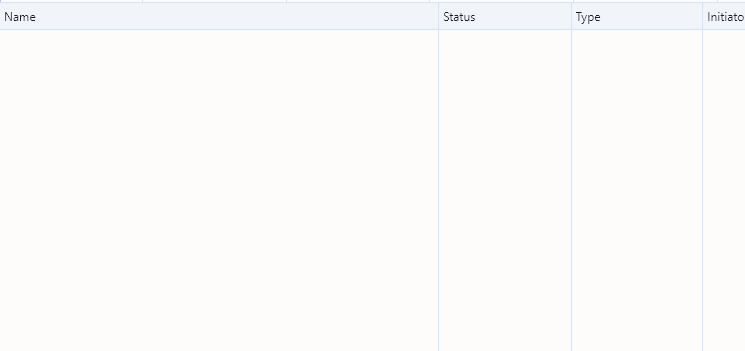 We now fill out the form and submit the data:
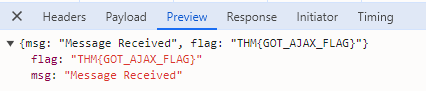
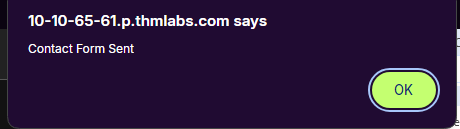 After submitting the data, we get an event in the Network tab which we can click on and inspect further:
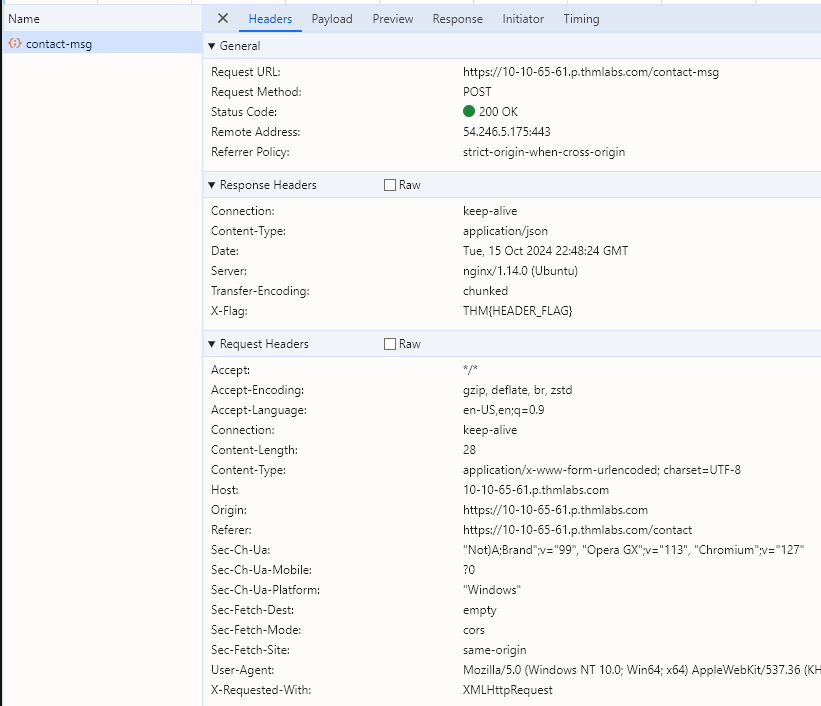 Here, there is a red herring, we can see a flag,
 THM{HEADER_FLAG}, but it is not the one we want! If we go a few tabs down within the contact-msg event, down to Preivew or Response, you will find the correct flag:
Nice! Finished.
Content Discovery
There are 3 main different types of Content Discovery. First, what is content?
“Content can be many things, a file, video, picture, backup, a website feature. When we talk about content discovery, we’re not talking about the obvious things we can see on a website; it’s the things that aren’t immediately presented to us and that weren’t always intended for public access.”
The 3 main ways are as follows:
- Manually
- Automated
- OSINT (Open-Source Intelligence)
Manual Discovery - Robots.txt
The robots.txt file is a document that tells search engines which pages they are and aren’t allowed to show on their search engine results or ban specific search engines from crawling the website altogether. It can be common practice to restrict certain website areas from SE results. (Search Engine)